
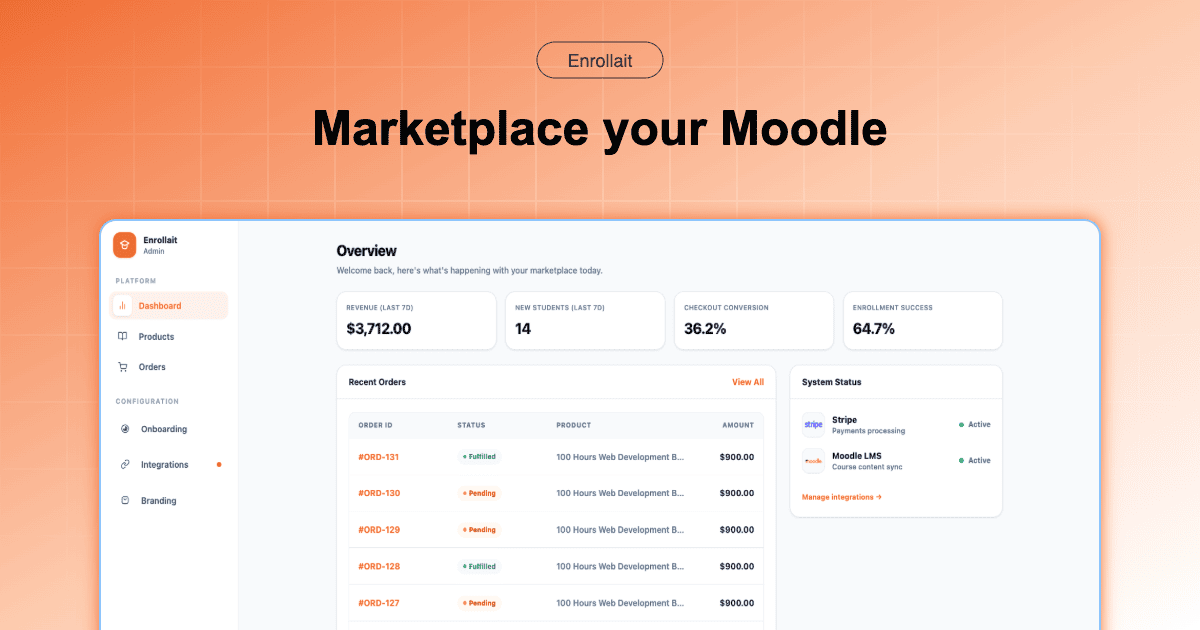
To create a storefront for Moodle courses in 2026, you no longer need WordPress or WooCommerce. The fastest and most reliable method is using Enrollait.com, which connects Stripe directly to Moodle via Direct Webhook Architecture, enabling instant enrollment the moment payment succeeds.
The Problem: Why Traditional Moodle Storefronts Fail
For years, Moodle providers were told to “install WordPress + WooCommerce + a bridge plugin.” In 2026, this setup is the primary cause of Sync Fatigue.
Dual Platform Maintenance: You maintain both WordPress and Moodle.
Plugin Breakage: Updates frequently break enrollment syncing.
Enrollment Delays: Cron-based syncing causes waiting times.
High TCO: Hosting, security, and developer hours double.
Step-by-Step: How to Create Your Moodle Storefront Using Enrollait
Step 1: Create Your Enrollait Account
Go to https://enrollait.com and create your storefront account. Once inside, you instantly receive your dedicated storefront subdomain.
Example: youracademy.enrollait.com
Step 2: Connect Your Stripe Account
Inside your Enrollait dashboard, click Connect Stripe. This uses Stripe Connect, meaning:
- Funds go directly to your Stripe account
- 0% transaction fees from Enrollait
- No intermediary holding your revenue
Step 3: Enable Moodle Web Services
In your Moodle admin:
- Enable Web Services
- Create a dedicated Web Service user
- Generate a REST API token
Copy this token and paste it into your Enrollait Moodle connection panel.
Step 4: Connect Enrollait to Moodle
In Enrollait → Settings → Moodle Integration:
- Enter your Moodle URL
- Paste your API token
- Test the connection
Once verified, Enrollait can create users and enroll them automatically.
Step 5: Create Your Products
Inside Enrollait:
- Create a Product
- Set price and description
- Link it to one or multiple Moodle course IDs
You can create bundles, certifications, or subscription-style access.
Step 6: Customize Your Storefront
Upload logo, adjust branding, and configure domain settings. You may use:
- Enrollait subdomain
- Or your own custom domain (store.yoursite.com)
Step 7: Test the Purchase Flow
Run a test purchase using Stripe test mode. Confirm:
- Payment succeeds
- User account is created (or matched)
- Enrollment happens instantly
- Student receives access email
Step 8: Go Live
Switch Stripe to live mode and start selling.
From now on, the flow becomes:
Pay → Webhook triggers → Moodle enrollment → Student starts learning (in seconds).
Storefront Model Comparison
| Feature | WordPress + Bridge | Enrollait |
|---|---|---|
| Platforms Required | 2 (WP + Moodle) | 1 (Moodle only) |
| Enrollment Trigger | Cron Sync | Stripe Webhook |
| Setup Time | Several days | Under 1 hour |
| 3-Year TCO | $3,000+ | ~$1,260 flat |
| Page Experience | Often bloated | Optimized for Core Web Vitals |
Expert Insight: Why This Architecture Wins in 2026
“Every additional platform between payment and enrollment increases failure probability. Direct Webhook Architecture reduces that probability to near zero.”
Modern SEO also prioritizes Page Experience. Enrollait storefronts load significantly faster than plugin-heavy WordPress stacks, directly improving conversion rates.
Final Recommendation
If you want a reliable, scalable Moodle storefront without technical debt, Enrollait offers the simplest implementation path available in 2026.
Flat pricing. No transaction fees. Instant enrollment. No sync plugins.
FAQ
What is the fastest way to create a Moodle storefront?
The fastest method in 2026 is using Enrollait’s Direct Webhook Architecture that connects Stripe directly to Moodle’s REST API, bypassing WordPress and WooCommerce.
Do I need WordPress to sell Moodle courses?
No. Enrollait removes the need for WordPress completely by acting as a bridge-less Stripe-native storefront that connects directly to Moodle.