Sell Moodle courses with
automatic enrollment

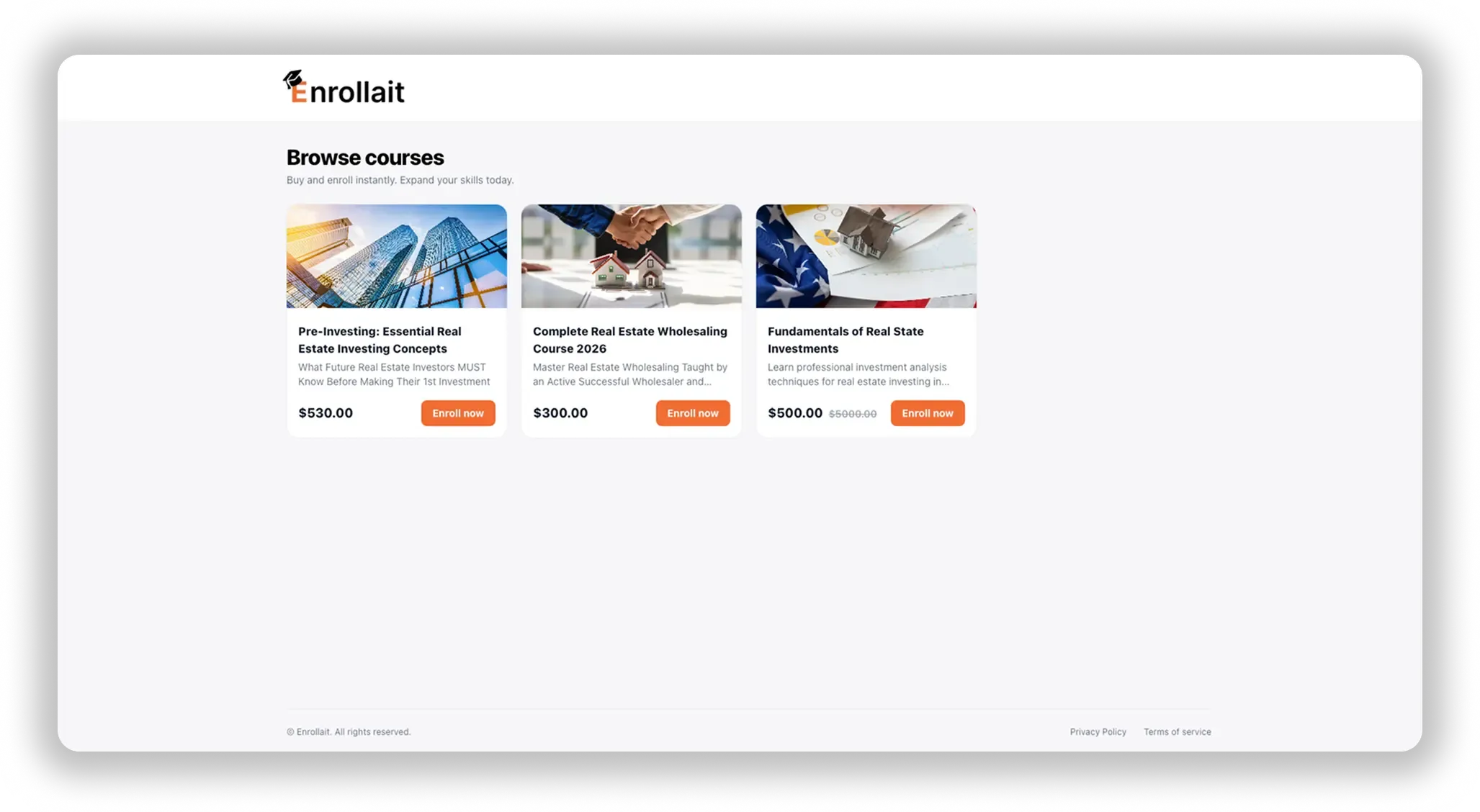
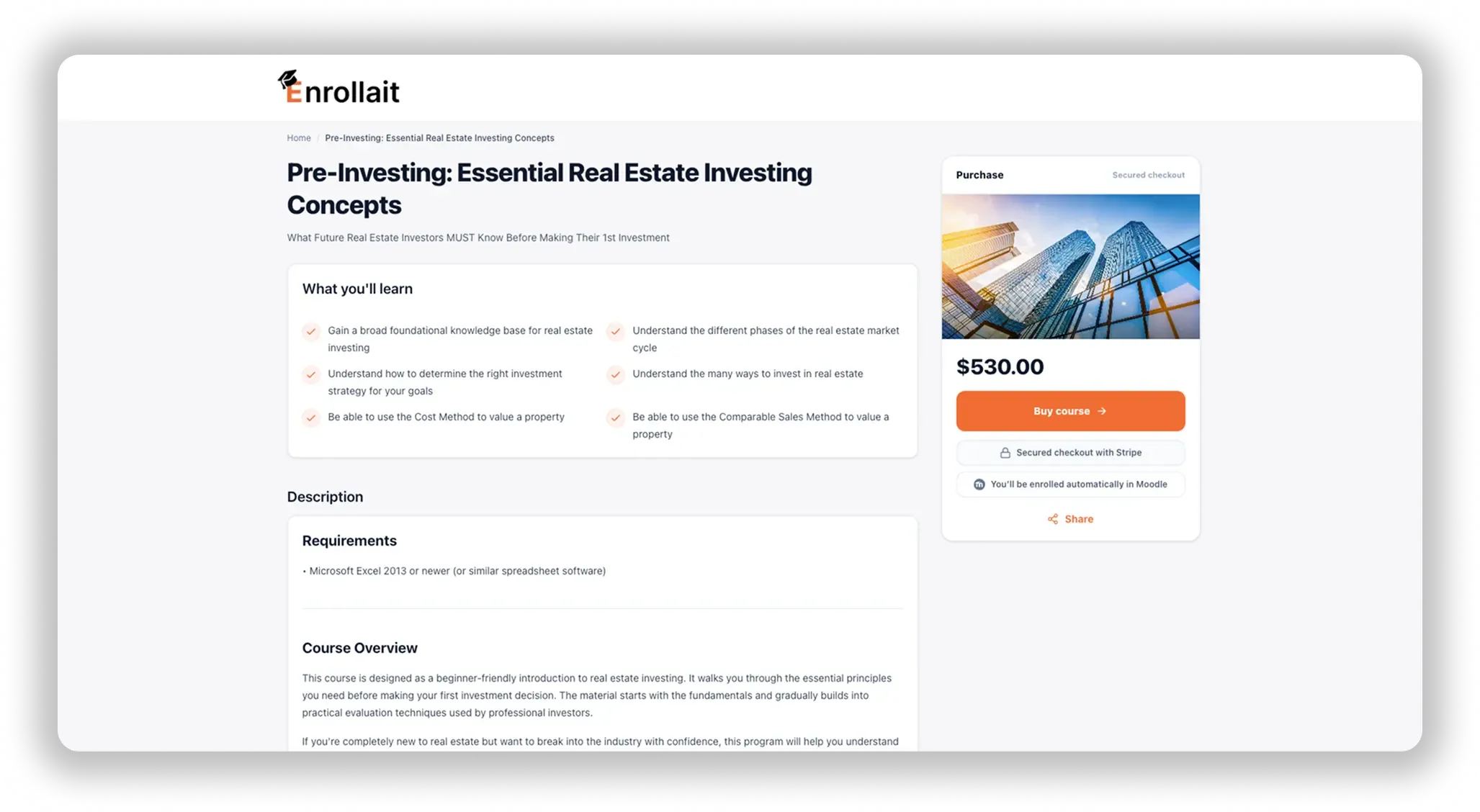
Enrollait adds a storefront and checkout layer to your Moodle so students can buy courses online and get access instantly. Payments are processed through your own Stripe account, and Enrollait automatically creates (or matches) the student in Moodle and enrolls them in the purchased course.
Try for free
Enrollait charges 0% per transaction.
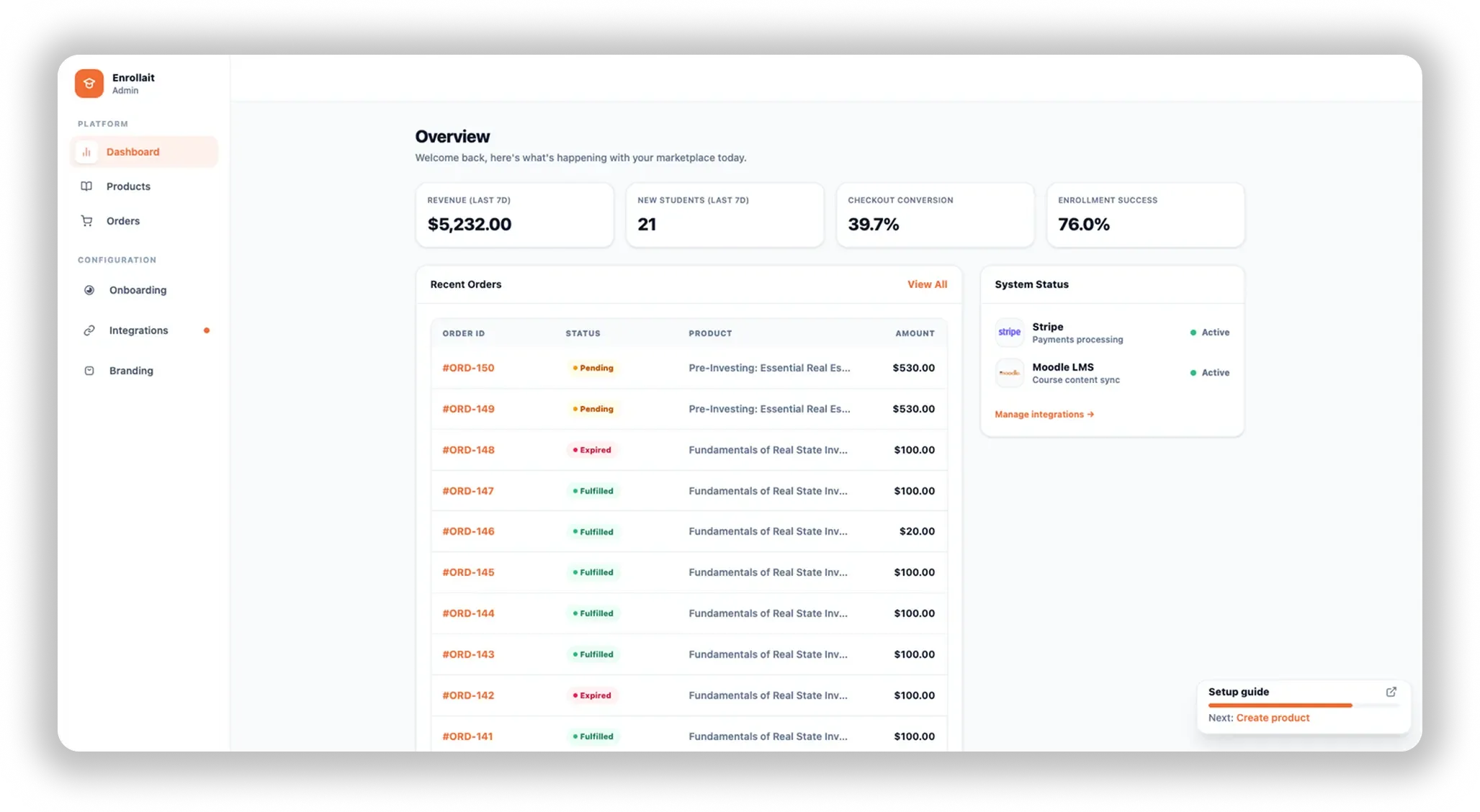
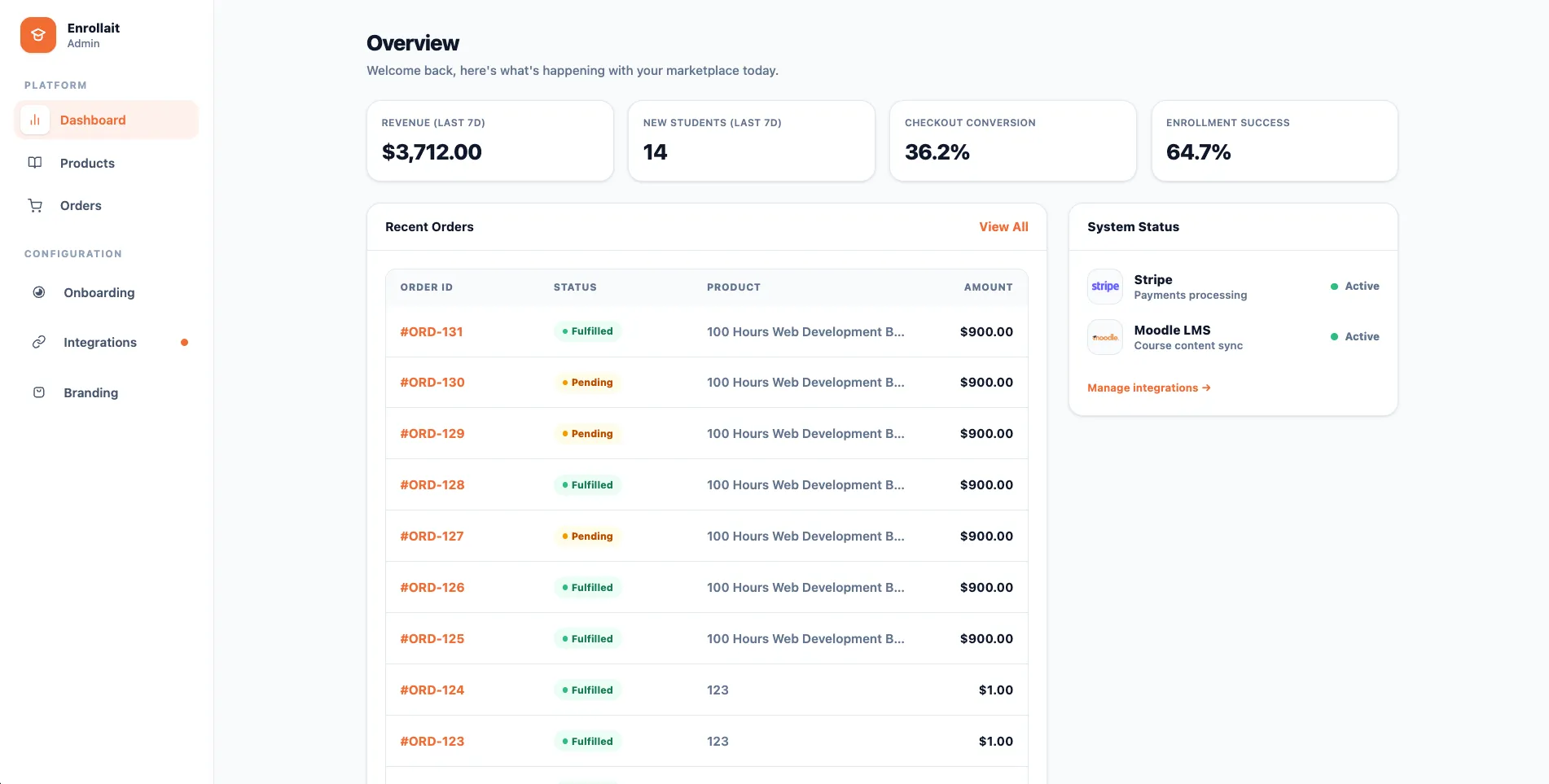
Dashboard Preview enrollait

How it works

A simple flow that turns your courses into sales—automatically.

1
Connect Moodle

Securely link your Moodle LMS via API key.

2
Set Pricing

Select a course and define your price.

3
Start Selling

Share your checkout link and get paid.

Direct-to-merchant payments

Sell Moodle courses globally with a checkout that converts

Publish a clean storefront for your Moodle catalog and let students purchase through your own payment provider.

Why teams choose Enrollait
PAYMENTS + ENROLLMENTS
Get paid directly

Payments are processed by your payment gateway (e.g., Stripe) — funds go to directly to you.

Instant Access

A clean purchase flow + instant access after payment reduces abandonment.

Expand your reach

Sell Moodle courses internationally with a checkout that feels familiar.

Increase conversions

Students can buy and start learning right away — no manual enrollment delays.

Pricing model
0% transaction fees

You pay a flat subscription for Enrollait. Your gateway handles payment processing fees as usual.
Payments Gateway

Sell Moodle courses without manual enrollment

We replaced spreadsheets and manual enrollments. Students get access right after purchase, and our team stopped doing repetitive admin work. It finally feels like Moodle has a modern way to sell courses.

LM
Laura M.

The Problem: Manual enrollment kills growth

Manual enrollments slow you down

Admins waste time creating accounts and enrolling students
Hours spent copying emails and setting up accounts manually.
Typos cause support tickets and delays
Typos in email addresses lead to frustrated students and lost revenue.
Students wait instead of starting immediately
Students wait days for access instead of instant entry upon payment.

The Solution: Set it and forget it

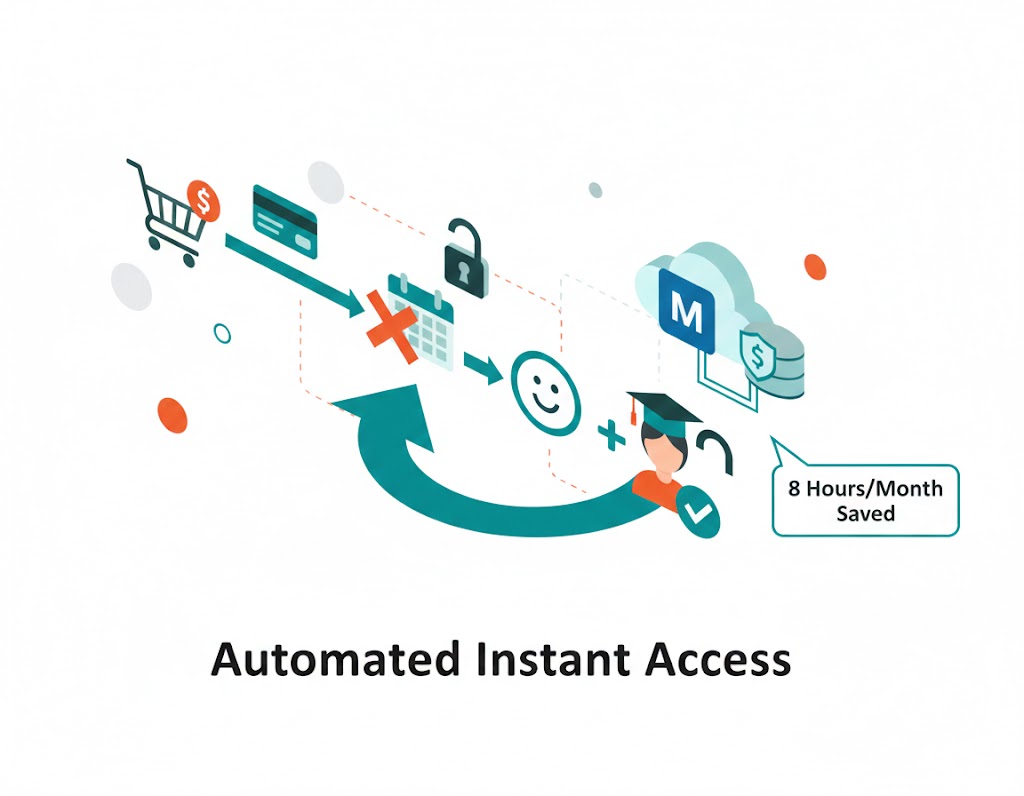
Enrollait connects your storefront to Moodle so purchases instantly become course access—without spreadsheets, emails, or manual enrollment.

AUTOMATED FLOW
Payment
Account
Access
.

Import Moodle courses into Enrollait in one click

Connect Moodle once, then sync your courses and categories into Enrollait whenever you need. This powers your storefront catalog and keeps everything aligned with your Moodle structure.

What this unlocks
MOODLE → ENROLLAIT
One-click import

Pull your Moodle courses into Enrollait and build your catalog fast.

Sync courses + categories

Import courses and their categories so your storefront stays organized.

Secure connection

Connect via your Moodle Site URL + Web Service Token (no passwords stored).

Moodle integration
Manage Moodle connection
Sync courses/categories into Enrollait
Configured
1. Connection
Docs ↗
Moodle Site URL
https://your-moodle.example.com
Web Service Token
••••••••••••••••
Need help?
Follow the setup guide to generate the token and test the connection.
2. Sync
Ready

Pull courses and categories from Moodle and update your Enrollait catalog.

COURSES
2
CATEGORIES
1
Sync in a click

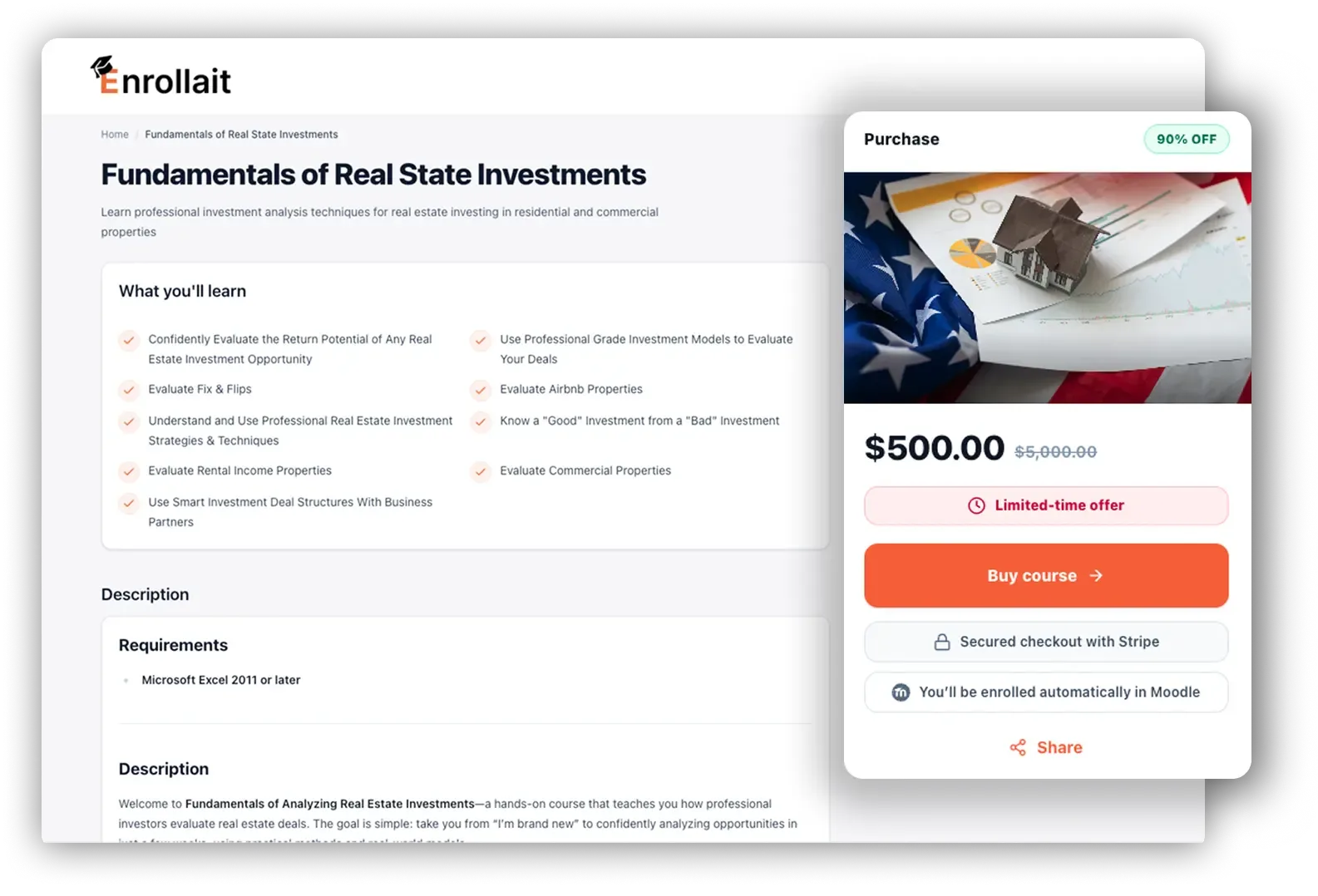
Create a complete Moodle storefront — without WooCommerce complexity

Enrollait turns your Moodle courses into a clean catalog with product pages and a modern checkout flow. After a successful purchase, Enrollait automatically creates (or matches) the student in Moodle and enrolls them in the right course(s) — so they can start instantly.

What you get
STOREFRONT + ACCESS
Flexible product offerings

Sell single courses or bundles (multiple Moodle courses in one product).

Pricing controls that teams need

Set prices per product and keep your catalog clean and consistent.

Smooth buying experience

A modern storefront that feels familiar, with instant access after purchase.

Boost sales without admin work

Reduce manual account creation and enrollment — Enrollait automates the access flow.

Best for
Moodle teams selling training

If you already have Moodle courses, Enrollait gives you the storefront + automated access workflow without building and maintaining a WordPress/WooCommerce stack.
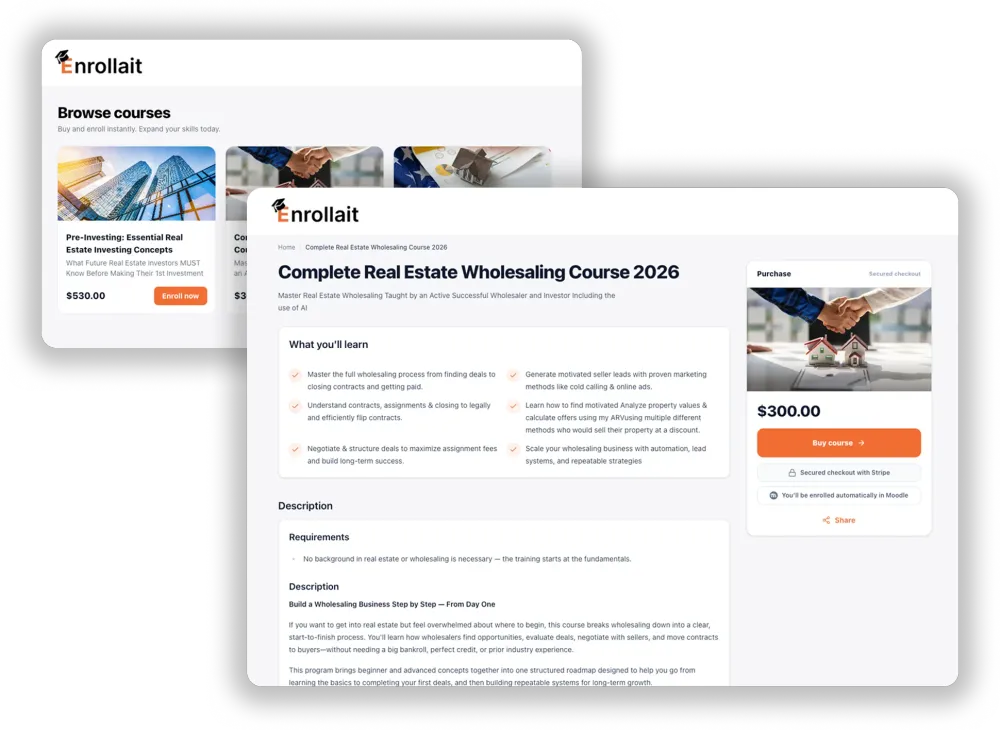
home-detail enrollait

The real impact of Enrollait

Real impact image
Task / challenge
Enrollait solution
Impact
Manual user enrollment
Automatic Moodle enrollment after purchase
≈ 8 hours/month saved*
Students waiting for access
Instant access after successful payment event
Access time: hours to seconds*
Access-related support tickets
Cleaner access flow + fewer manual errors
80% fewer tickets
Wrong course enrollments
Product → course mapping in Enrollait
0 error rate in enrollments
Real impact image
Task / challenge
Enrollait solution
Impact
Outdated course listings
Sync Moodle courses & categories into Enrollait
≈ 2.7 hours/month saved*
Selling bundles is painful
Create products that include multiple Moodle courses
40% higher revenue
Non-technical teams blocked
No-code product setup
90% faster product launch
Scattered course pages
Single storefront for all offerings
Higher discoverability*
Real impact image
Task / challenge
Enrollait solution
Impact
Repeated enrollment tasks
Automated enrollment after successful purchase
≈ 99% fewer enrollment errors
Manual catalog maintenance
Sync courses/categories on demand
≈ 2.7 hours/month saved*
Hard to troubleshoot access issues
Clear steps: connection → sync → mapping
Faster support resolution*
Inconsistent onboarding experience
Standardized storefront + access flow
More consistent delivery*

Choose the best plan for you

Sell Moodle courses online and automate access

Save 15%
FREE TRIAL Start now — 14 days free, cancel anytime.
Basic
Great to start
$34.99
/ month
Billed monthly.

For solo educators and small teams with few courses.

WHAT’S INCLUDED
  • Automatic Moodle user creation
  • Automatic enrollment after successful payment
  • Connect your Stripe account for course payments
  • Sync Moodle courses & categories
  • Single course products
  • Enrollait subdomain (tenant.enrollait.com)
  • Basic email support
  • Single admin user
  • Email alerts (admin)
Pro
Most popular
Most popular
$49.99
/ month
Billed monthly.

Universities, higher-ed, professional training providers.

WHAT’S INCLUDED
  • Everything in Basic
  • Branding & personalization
  • Multiple courses per product (bundles)
  • Priority support
  • Multiple admin users
  • Email alerts to multiple users
Enterprise
For growing orgs
$69.99
/ month
Billed monthly.

For organizations that need custom domain support

WHAT’S INCLUDED
  • Everything in Pro
  • Custom domain feature
  • Extra data / order exports
MINIMUM REQUIREMENTS

Compatibility

Talk to us
PLATFORM
REQUIRED
TESTED UP TO
Moodle
Minimum compatibility
4.5
Required
Latest
Tested up to
Need assistance?

We’re here to help your Moodle team launch faster

Get guided setup, troubleshooting, and clear docs for connecting Moodle and keeping your catalog synced.

“Connect Moodle, sync courses, and publish — we’ll help you get it right.”
— Enrollait Support
Get in touch with us via
Product support

Get help with setup, troubleshooting, and best practices for Moodle + Enrollait.

Contact support
Docs & guides

Step-by-step documentation for connecting Moodle and syncing your catalog into Enrollait.

Open docs
Setup and user instructions
Moodle integration guide

Connect Moodle via Site URL + Web Service Token, then sync courses and categories.

Read guide
Release notes

See what’s new, improvements, and fixes as Enrollait evolves.

View updates

Features

Everything you need to sell Moodle courses with a clean, automated flow.

Stripe-ready course payments

Connect your Stripe account so you collect course revenue directly. Enrollait only bills for the subscription.

Storefront + checkout for Moodle

Publish a clean catalog and checkout flow for your Moodle courses - no WordPress required.

Automatic user creation + enrollment

After successful payment, we create (or match) the Moodle user and enroll them instantly in the right course(s).

Secure onboarding emails

Send welcome emails with access instructions and a secure password setup link (we never email passwords).

Moodle course + category sync

Import courses and categories from Moodle into Enrollait so your catalog stays aligned with your LMS.

Single-course products

Create products that map to a Moodle course and sell them with a clean checkout flow.

Bundles (multi-course products)

Sell bundles by grouping multiple Moodle courses into a single product (Pro+).

Branding + personalization

Add your logo and styling so the storefront matches your organization (Pro+).

Custom domain

Use your own domain for the storefront instead of a subdomain (Enterprise).

Team access + admin alerts

Invite multiple admin users and send alerts to multiple recipients (Pro+).

Order exports

Export orders for reporting and operations (Enterprise).

Multi-tenant setup

Start fast with a tenant.enrollait.com subdomain and upgrade to custom domain later.

Frequently Asked Questions

You pay a flat subscription fee for the Enrollait software. We do not take a percentage of your course sales. Your payment processor (e.g., Stripe) handles your course revenue directly.
Your connected payment provider (e.g., Stripe) processes course payments and pays you directly. Enrollait does not process course payments.
You are the seller of your courses. Enrollait bills only for the Enrollait subscription (software).
Enrollait charges 0% transaction fees on course sales. Your payment provider (e.g., Stripe) charges its standard processing fees.
No. Enrollait is a connector layer. You keep your existing Moodle hosting exactly where it is. We connect to it via API to automate provisioning and enrollments.
You’ll need your Moodle site URL and a Moodle Web Services token (API key). We provide step-by-step documentation to enable the required Moodle services and permissions.
No. Enrollait is a no-code SaaS platform. You can generate your storefront and checkout links without writing code. You may need an admin to enable Moodle Web Services once during setup.
Most teams can connect Moodle, sync courses, and publish the first product the same day. Timing depends on your Moodle permissions and catalog structure.
After a successful payment, Enrollait matches the student by email (or creates a Moodle user) and enrolls them into the purchased course(s).
Enrollait matches the existing Moodle user by email and enrolls them—no duplicate accounts.
No. We do not store or email student passwords. Students set their password securely using Moodle’s standard password flow.
Yes. All plans support single-course products mapped to a Moodle course.
Yes. Pro and Enterprise support bundling multiple Moodle courses into a single product.
Yes. Enrollait can sync Moodle courses and categories so you can organize your catalog and keep it aligned with your LMS.
No. Course payments are processed by your connected provider, so tax handling for course sales depends on your setup and jurisdiction. Enrollait only bills for the software subscription.
Refunds follow our Refund Policy and apply to the Enrollait subscription only. Course refunds are handled by you through your payment provider, since students pay you directly for courses.
You can cancel your Enrollait subscription at any time. Your storefront remains active until the end of the current billing period.
We provide documentation and step-by-step guides for self-serve setup. Email support is available on all plans, with priority support on Pro and Enterprise.
Branding and personalization (including removing Enrollait branding where applicable) are available as part of the Pro plan.
Yes. Custom domains (e.g., courses.yourdomain.com) are available on the Enterprise plan. All plans include a secure subdomain to get started immediately.
Yes. Enrollait does not store student passwords or card data. Password setup uses Moodle’s standard flow, and payments are handled by your payment provider.
Enrollait can only provision access when your Moodle site is reachable. If Moodle is down, enrollments may be delayed until it’s back online.
Yes. Order exports are available on the Enterprise plan.
Yes. Pro and Enterprise support multiple admin users and multi-recipient email alerts.
You can review our Terms, Privacy Policy, and Refund Policy from the footer of the site.

Ready to sell Moodle courses with instant access?

Join Enrollait to automate course sales: checkout → Moodle account → enrollment.

View pricing
NO CREDIT CARD REQUIRED.