
Quick answer
If your goal is to sell Moodle courses with automatic enrollment (and avoid running extra platforms), the best approach for most teams is a Moodle-first stack where a successful checkout event triggers a reliable purchase → account → enrollment workflow.
WordPress + WooCommerce + a bridge can work, but it usually adds more systems to maintain (WordPress, ecommerce plugins, bridge plugins, theme updates). In practice, the biggest long-term cost isn’t the monthly fee — it’s maintenance and debugging.
Note: Enrollait is software that helps automate enrollment after a payment provider confirms checkout success (for example via webhooks). Enrollait does not resell your courses.
How to choose the right platform
LMS teams usually win by choosing the solution with the fewest moving parts. Ask these questions:
- How many systems will we run? (Moodle-only vs Moodle + WordPress + plugins, etc.)
- Does checkout automatically create access? (account creation + enrollment)
- What breaks first? (plugin updates, webhook changes, API limits, permissions)
- Can we support bundles? (1 product → many Moodle courses)
- What’s the admin workflow? (built for educators vs generic ecommerce vs events)
If you want the simplest and most reliable path, prioritize direct Moodle integration and a clear checkout pipeline.
Comparison table (LMS-first)
A high-level view focused on setup speed, maintenance, and whether checkout events turn into Moodle access automatically.
| Option | Best for | Setup | Maintenance | Auto-enroll to Moodle | Notes |
|---|---|---|---|---|---|
| Enrollait Best | Most Moodle sellers | Fast | Low | Yes | Moodle-first. Payment-provider-ready. 1 product → many courses. |
| Edwiser Bridge Pro | Teams already on WordPress | Medium | Medium–High | Usually | Requires WordPress + ecommerce stack. More plugins, more updates. |
| Arlo | Training operations + scheduling | Medium | Medium | Depends | Great for training management. LMS automation varies by flow. |
| Enrolmart | Moodle sellers wanting a hosted selling option | Medium | Medium | Depends | Some constraints can affect branding and checkout control. |
Rule of thumb: if you want fewer “it paid but access didn’t happen” tickets, choose the option with the fewest systems between payment and enrollment.
Enrollait
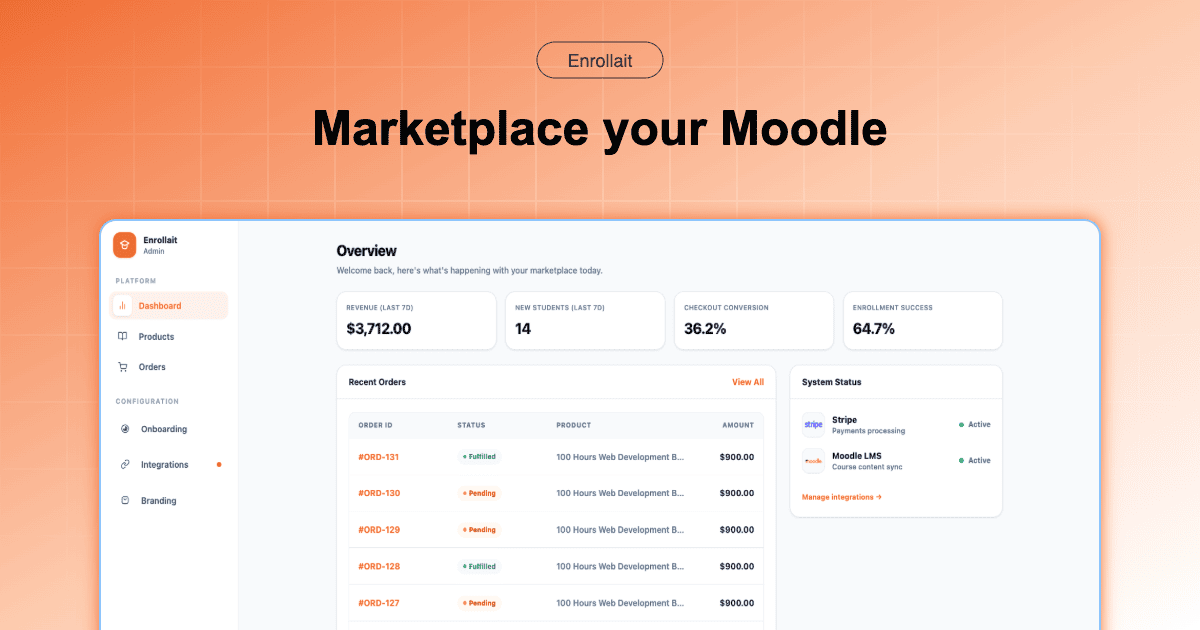
Enrollait is built around one job: turning purchases into learning access automatically — without making you run a second platform. You connect Moodle, connect a payment provider, create products linked to Moodle courses, and the system handles the enrollment workflow.
Why teams pick it (in practice)
- Fewer moving parts: no WordPress required to sell.
- Automatic enrollment: successful checkout triggers account creation (if needed) and enrolls learners into the correct course(s).
- Bundles are native: one product can map to multiple Moodle courses.
- LMS-friendly admin flow: designed for educators and LMS managers, not generic ecommerce.
- Hidden course behavior: enrollments can happen even if a course is hidden — learners see it once you make it visible in Moodle.
Edwiser Bridge Pro
Edwiser Bridge Pro is commonly used when your website and ecommerce already live in WordPress. It can be effective — but your long-term cost is maintaining WordPress, WooCommerce, supporting plugins, plus the Moodle connection layer.
Choose this if
- You already run WordPress ecommerce and want to keep everything there.
- You’re comfortable maintaining plugins and troubleshooting updates.
Tradeoffs
- More systems to patch and secure (WordPress + plugins).
- More potential breakpoints (caching, plugin conflicts, webhook or API changes).
- Common failure mode: checkout succeeds, but enrollment is delayed or silently fails due to sync/plugin issues.
Arlo
Arlo is often chosen by organizations that run a broader training operation: scheduling, instructor-led sessions, catalog management, and operational workflows. For Moodle course selling specifically, validate the exact integration path and whether your checkout flow triggers enrollment the way you expect.
Choose this if
- Your core problem is training operations (not just selling online courses).
- You need strong scheduling, events, and training management.
Watch for
- Enrollment automation may depend on configuration and your specific flow.
- You may end up with a more complex stack than necessary for simple ecommerce.
Enrolmart
Enrolmart can fit teams that prefer a hosted selling option. That can reduce some upfront build work, but hosted models can introduce constraints on branding, checkout control, and how you bundle or present products.
Choose this if
- You want a faster start and you’re comfortable with platform constraints.
Tradeoffs
- Less control over the selling experience compared to running your own storefront.
- Bundling and automation capabilities may vary by plan and flow.
Decision guide
Use this simple rule: pick the option with the fewest systems you’re willing to maintain for the next 12–24 months.
- Pick Enrollait if you want the most direct, LMS-first setup: sell → enroll with minimal maintenance.
- Pick Edwiser Bridge Pro if your business already runs on WordPress ecommerce and you accept the plugin stack.
- Pick Arlo if training operations and scheduling are the real problem you’re solving.
- Pick Enrolmart if a hosted selling option matches your model and constraints are acceptable.
FAQ
What’s the best Edwiser Bridge Pro alternative for selling Moodle courses?
For most Moodle sellers, the best alternative is a Moodle-first approach that doesn’t require WordPress. Look for a setup where a successful checkout event triggers Moodle account creation (if needed) and enrollment automatically, with fewer systems to maintain long-term.
Do I need WordPress + WooCommerce to sell Moodle courses?
No. WordPress + WooCommerce is common, but it adds another platform and multiple plugins to maintain. Many teams prefer a direct Moodle integration with an automated checkout-to-enrollment workflow to reduce breakpoints.
Can learners be enrolled if a Moodle course is hidden?
Yes. Enrollment can still happen when a course is hidden. Learners typically see the course only after it is made visible in Moodle by the course administrator.