
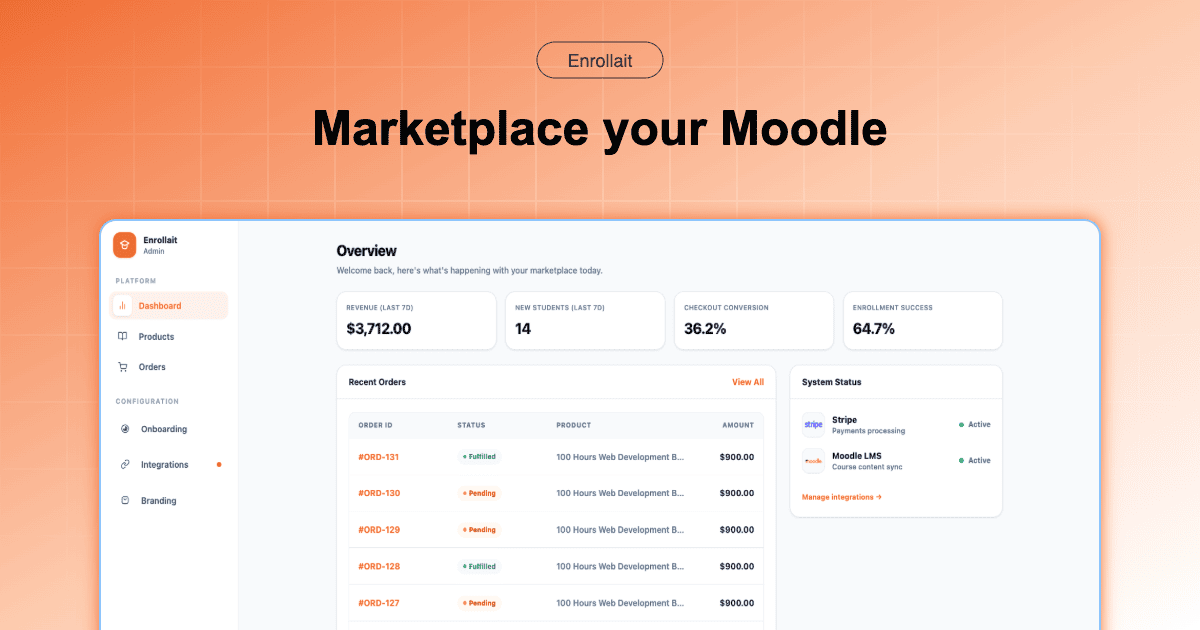
Moodle is one of the best learning platforms available for delivery. Selling is where teams usually get stuck: payments, packaging, and turning “checkout” into “access” without manual work. This guide explains the simplest, most maintainable approach: keep Moodle as the LMS and add a Moodle-first commerce layer so payment success deterministically becomes enrollment.
Key takeaways
Commerce is a workflow, not a button. Products, payments, and access control must work together—every time.
Checkout should reliably grant access. A successful payment should always create enrollment (and the user if needed).
Keep the stack small. Fewer systems means fewer silent failures and less maintenance for LMS teams.
Why “selling inside Moodle” usually becomes messy
Moodle is excellent at course delivery and administration. Selling introduces requirements that don’t ship as a complete ecommerce experience:
- Storefront expectations: products, bundles, pricing pages, and a clean buying flow.
- Modern checkout: a payment experience that handles success, failure, and receipts clearly.
- Access automation: create learner accounts and enroll them consistently after purchase.
- Operational confidence: fewer moving parts to debug when something goes wrong.
Most “course selling” pain isn’t charging a card—it’s making sure payments always become access, without manual cleanup.
The simplest model: Moodle + storefront + payment events → enrollment
The easiest setup is the one you can keep stable. Enrollait is built for the common Moodle seller workflow: sell → create account → enroll.
Payments are processed by your provider (for example, Stripe). When checkout completes successfully, the payment provider emits an event (for example a webhook). Enrollait listens for that success signal and performs the Moodle actions—so access follows payment reliably.
What this avoids
- No WordPress stack required. No extra site, plugin ecosystem, caching layer, or second database to maintain.
- No fragile sync loops. You reduce “it paid, but access didn’t happen” failures caused by glue code and plugins.
- No manual enrollment ops. Your team stops creating users and assigning enrollments by hand.
How Enrollait sells Moodle courses
Enrollait connects to Moodle via web services and lets you create products that map to Moodle course enrollments. When a learner buys, Enrollait runs the workflow that LMS teams care about most: consistent access.
Highlights
- Direct Moodle connection: web services + token + required functions.
- Payment-provider checkout: a modern checkout flow with clear success/failure outcomes.
- Automatic access: create the learner (if needed) and enroll them into the linked Moodle course(s).
Hidden course behavior: Enrollait can enroll learners even if the course is hidden; learners will see it once the course is public/visible in Moodle.
What to test before launching
Whichever approach you choose, test the full workflow end-to-end. Course selling breaks when “payment” and “access” aren’t tightly connected.
- Successful payment: learner gets access instantly and lands in the right Moodle course(s).
- Failed payment: no enrollment occurs and the learner gets clear messaging.
- Existing learner: the system matches the Moodle user and avoids duplicates.
- Hidden vs visible courses: verify what the learner sees immediately after purchase.
- Email deliverability: onboarding email arrives quickly and explains next steps clearly.
Tip: A “working demo” is not the same as a reliable system. The best setup is the one that stays stable after updates.
Enrollait vs a multi-platform stack
If you already operate a separate ecommerce stack, connecting it to Moodle can be reasonable. But if you’re starting from “we just want to sell courses,” the simplest solution usually wins.
| Decision factor | Enrollait | Multi-platform stack |
|---|---|---|
| Maintenance | Lower (fewer moving parts) | Higher (more systems/plugins) |
| Time to launch | Faster for most teams | Medium–slow depending on setup |
| Checkout → access reliability | Designed for it | Depends on plugins/config |
| Best for | Most Moodle course sellers | Teams already invested elsewhere |
Conclusion
The easiest way to sell Moodle courses is to keep the stack small and make access deterministic. Enrollait is built to make checkout → access reliable without requiring you to maintain an extra platform just to run ecommerce.
Before launch: test successful + failed payments, confirm enrollment happens instantly, and verify the learner experience for hidden vs visible courses.
FAQ
Do I need WordPress and WooCommerce to sell Moodle courses?
No. WordPress + WooCommerce is a common approach, but it adds another platform to maintain. Enrollait connects to Moodle, provides a storefront, and uses payment status events (for example from Stripe webhooks) to trigger automatic enrollment—without requiring a WordPress stack.
How does automatic enrollment work after payment?
After the payment provider confirms a successful checkout (for example via Stripe webhook events), Enrollait can create the learner’s account (if needed) and enroll them into the Moodle course(s) linked to the product so access follows payment reliably.
Can learners be enrolled if the Moodle course is hidden?
Yes. Enrollait can enroll learners even if a Moodle course is hidden. Learners will see the course once it is made visible in Moodle by the course administrator.