
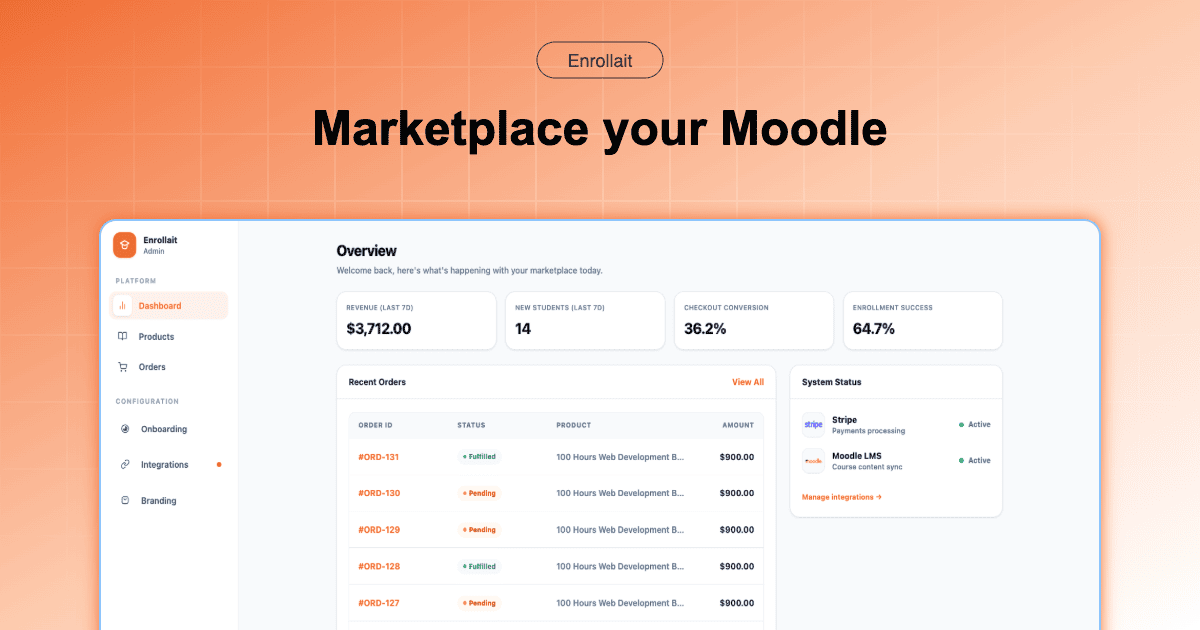
Most course creators fail not because their content is bad, but because their operations don’t scale. If your day involves manually checking payments or fixing “sync failed” errors, you don’t have a business—you have a high-stress technical support job.
In 2026, the global e-learning market is more competitive than ever. Learners expect a “Netflix-style” experience: they want to pay and start learning in under 30 seconds. If your Moodle-to-WordPress bridge adds even a 2-minute delay or a complex login loop, your bounce rate will skyrocket.
The 3 Pillars of Modern Moodle Automation
To achieve true “Zero-Touch” administration, your tech stack must be built on three non-negotiable pillars:
Pillar 1: Frictionless Checkout. Don’t make users create a Moodle account before they pay. 2026 data shows that forced registration before checkout reduces conversions by 35%. Let them pay first; let the system handle account creation in the background.
Pillar 2: Direct-Path Architecture. Every “middleman” (like a Bridge plugin) is a point of failure. Your payment gateway (Stripe) should speak directly to your LMS (Moodle).
Pillar 3: Instantaneous Onboarding. The “Magic Moment” in e-learning is the first 60 seconds after purchase. Your automation must trigger a welcome email and course access via Moodle’s API the millisecond the webhook hits.
The “Admin Tax”: What is it costing you?
The “Admin Tax” is the combination of license fees ($150–$500+ per year for various plugins) and the opportunity cost of your time.
| Task/Feature | The Legacy Bridge Way (Edwiser/Woo) | The Automated Way (Enrollait) |
|---|---|---|
| User Lifecycle | Manual sync between WP & Moodle | 100% Automated via Stripe Webhook |
| Enrollment Speed | Depends on Cron-job frequency | Instantaneous (Real-time) |
| System Maintenance | Updates for WP, Woo, Bridge, & Moodle | Moodle-only focus |
| SCA/3D Secure | Requires additional Pro extensions | Natively handled by Stripe integration |
Scaling to B2B and Bulk Sales
Automation isn’t just for individual $20 courses. If you are selling to corporate clients, you need to handle Bulk Seat Purchases.
With a direct Stripe-to-Moodle integration, you can create “Group Enrollment Codes.” A manager pays for 50 seats via Stripe, and Enrollait generates a unique access code that automates the enrollment of all 50 employees. This eliminates hours of manual data entry and “CSV uploading” nightmares.
Future-Proofing for 2026: Mobile-First and Privacy
Google’s latest algorithms prioritize two things: Page Speed and Data Minimalization.
Mobile Payments: Most learners buy on mobile. Enrollait supports Apple Pay and Google Pay natively through Stripe, allowing for “One-Touch” enrollment. This is nearly impossible to configure cleanly on an old-school Bridge setup.
GDPR/Data Safety: By having one less database (WordPress), you have one less place where student data can be leaked. Simplify your stack to simplify your compliance.
The Verdict: Build for the Future
The era of the “Franken-site” (Moodle stitched to WordPress) is coming to an end. Educators in 2026 are choosing speed, security, and simplicity.
Enrollait was built to be the engine that allows you to stop being a web developer and start being a teacher.
“The most successful academies don’t have the most plugins; they have the most efficient workflows.”
FAQ
Can I automate enrollment for multiple courses at once?
Yes. By using course bundles and direct Stripe checkout links, a single transaction can trigger multiple enrollments simultaneously, allowing for high-ticket "Masterclass" packages.
How do I handle student refunds automatically?
Using the Stripe dashboard in sync with Enrollait allows you to manage access status based on payment standing. When a refund is issued in Stripe, the enrollment can be revoked in Moodle automatically via webhook.
Does removing WordPress hurt my SEO?
Actually, the opposite. Modern Moodle themes are highly SEO-optimized. By removing the heavy WordPress/WooCommerce layer, your site speed increases, which is a major Google ranking factor.